Android Phone Battery Replacement in 2026
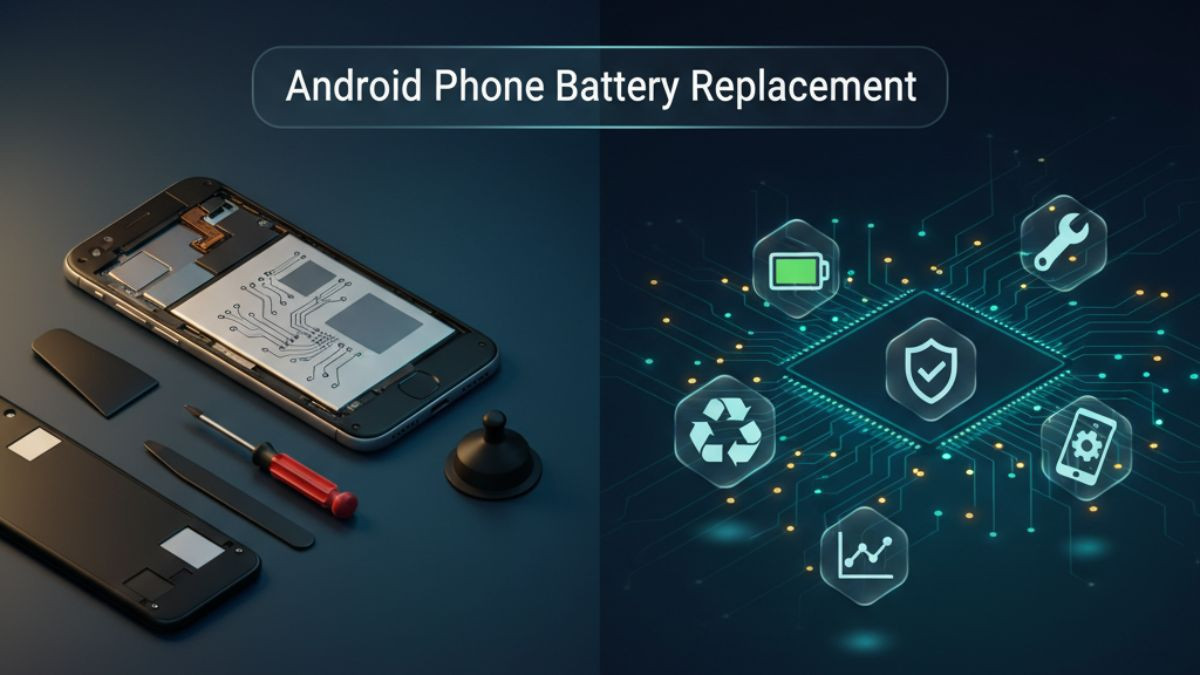
Android Phone Battery Replacement in 2026
A smartphone battery is one of the most critical components in any Android device, and yet it is also one of the most frequently overlooked aspects of device maintenance. Most users notice something is wrong only when the problem has already escalated — the phone dies at 40% charge, the back panel starts lifting, or the device refuses to turn on despite being plugged in for hours. Understanding what causes battery degradation, how to identify the warning signs early, and what your options are for a proper android phone battery replacement can save you both money and frustration.
This comprehensive guide covers everything relevant to Android battery health, replacement options, service costs, and professional repair recommendations in 2026. Whether you are dealing with an older Samsung Galaxy, a Google Pixel, a OnePlus device, or any other Android-powered smartphone, this article is written to give you practical, actionable knowledge that goes well beyond generic advice.
Understanding How Android Smartphone Batteries Work
Before addressing replacement, it helps to understand what a lithium-ion battery actually does inside your phone and why it eventually stops working at its original capacity.
Most Android smartphones use lithium-ion or lithium-polymer battery cells. These cells store electrical energy through a chemical reaction between the lithium anode and cathode materials. Each time you charge and discharge the battery, microscopic changes occur in the chemical structure of these materials. Over hundreds of charge cycles, the battery's ability to hold that chemical energy diminishes. This is not a defect — it is simply chemistry at work.
The industry-standard measurement for battery longevity is the charge cycle. One full charge cycle is completed when you have used 100% of your battery's capacity, though not necessarily in one sitting. Charging from 50% to 100% twice counts as one cycle. Most modern Android batteries are rated to retain approximately 80% of their original capacity after 300 to 500 full charge cycles, depending on the device, the battery quality, and how the device is used and charged.
After that threshold, capacity degradation accelerates. A battery that once powered your phone through a full day of use may now barely last five or six hours. This is not a software issue, a settings misconfiguration, or a sign that your phone is outdated. It is a physical property of the battery cell reaching the end of its useful life. At this point, a phone battery replacement service becomes not just an option but a practical necessity.
Common Symptoms That Indicate Your Android Battery Needs Replacement
Recognizing the warning signs of a failing battery early can prevent more serious damage. A deteriorating battery does not just cause inconvenience — in some cases, a swollen or failing cell can damage other internal components if left unaddressed for too long.
Rapid Battery Drain
The most common symptom users report before seeking a battery replacement for android is unusually fast discharge. If your phone was once lasting 10 to 12 hours on a charge and is now dying after 3 to 4 hours without any change in usage habits, the battery capacity has degraded significantly. This is not always a background app problem. While rogue apps and poor optimization can contribute to battery drain, a sudden and sustained change in discharge rate — especially on a device that is 18 months or older — typically points directly to battery health deterioration.
When the android battery draining fast problem becomes consistent across different usage contexts — low screen brightness, airplane mode, minimal apps running — the battery cell itself is almost certainly the cause. No amount of optimization will restore capacity that has been chemically lost.
Unexpected Shutdowns at Higher Battery Percentages
A phone that powers off at 20%, 30%, or even 40% battery level is exhibiting one of the clearest signs of a failing cell. This occurs because the battery can no longer accurately represent its own remaining charge. The voltage drops sharply under load, triggering the phone's protection circuit to shut down the device even though the displayed percentage suggests sufficient charge remains.
This symptom is particularly dangerous because it often happens at inconvenient moments — during navigation, calls, or emergencies — and it becomes more frequent as the battery continues to age. A fast phone battery drain solution in this case is a proper physical replacement, not software adjustments.
Battery Swelling or Physical Deformation
A swollen phone battery is a serious situation that demands immediate attention. Lithium-ion batteries can swell when gases accumulate inside the cell as a byproduct of accelerated internal degradation. This most commonly happens in older batteries, batteries that have been exposed to extreme heat, or batteries that have experienced manufacturing defects.
The signs of swelling include a back panel that lifts or feels loose, a screen that appears to be pushing outward from the frame, a device that no longer lies flat on a surface, or a visible bulge in the body of the phone. Swollen phone battery repair should never be postponed. A swelling battery puts pressure on surrounding components including the display, the charging port, and the motherboard. In rare but documented cases, a sufficiently swollen lithium-ion cell can rupture, releasing heat and flammable gases.
If you notice swelling, do not attempt to charge the device. Do not apply pressure to the phone or attempt to puncture the battery. Take it to a certified phone repair service immediately.
Overheating During Normal Use or Charging
Occasional warmth during intensive tasks or wireless charging is normal. Persistent overheating — where the phone becomes uncomfortably hot during simple tasks like browsing, texting, or low-intensity calls — is not. When a battery cell is degraded, the internal resistance increases. Higher resistance means more energy is converted to heat rather than useful electrical power during both charging and discharge. This is why an android phone overheating battery fix often involves replacing the battery rather than addressing thermal paste or other components.
Overheating can also be caused by a faulty charger or a damaged charging port, so a thorough android smartphone diagnostic should confirm the battery as the root cause before replacement.
Phone Not Charging or Charging Intermittently
A phone not charging battery repair scenario can stem from multiple causes — a damaged charging port, a defective charging cable, a faulty power adapter, or a failing battery. If the charging port appears physically intact and the problem persists across multiple cables and adapters, the battery cell itself may have degraded to the point where it can no longer accept a charge properly.
In some cases, a deeply discharged lithium-ion battery will refuse to charge at all. This occurs when the cell voltage drops below a threshold at which the battery management system considers the cell unsafe to charge. A professional android repair technician can often revive a deeply discharged battery using specialized low-current recovery charging, but this is not always possible and physical replacement is often the more reliable solution.
Android Battery Health Check: How to Know Your Current Battery Status
Before proceeding with any replacement decision, checking the current state of your battery is important. Many users are unaware that Android devices offer built-in tools and that third-party applications provide detailed battery analytics.
Built-In Battery Stats on Android
Most Android devices include a basic battery usage breakdown in the Settings menu, typically found under Battery or Device Care depending on the manufacturer. Samsung Galaxy devices running One UI include a battery health status indicator within the Battery and Device Care section. Google Pixel phones on Android 13 and later offer similar indicators under Settings Battery Battery usage.
However, the built-in tools are often limited in the detail they provide. They may show percentage and time remaining estimates but rarely expose raw battery capacity values or charge cycle counts in a consumer-friendly way.
Using Android Battery Diagnostic Apps
Third-party apps such as AccuBattery, Battery Guru, and CPU-Z provide more granular data including estimated design capacity versus current capacity, charge cycle counts, real-time voltage readings, and temperature logging. These tools help establish a clear picture of battery health before deciding whether a replacement is warranted. Android battery calibration fix recommendations also often emerge from this kind of detailed diagnostic data.
For Samsung devices specifically, entering the code *#0228# in the dialer opens the Battery Status screen, which shows live voltage and temperature readings. For a deeper diagnostic, Samsung's service menu available through *#*#4636#*#* provides battery information that includes charge level in raw milliamp-hour values.
When to Act Based on Battery Health Data
General guidance suggests considering a mobile phone battery replacement when the battery retains less than 80% of its original design capacity. At this threshold, real-world performance degradation becomes noticeable and consistent. Below 70%, the device is likely experiencing multiple symptoms simultaneously and replacement is overdue.
Types of Replacement Batteries Available for Android Phones
Not all replacement batteries are created equal, and choosing the right battery matters significantly for both performance and safety.
OEM Batteries
Original Equipment Manufacturer batteries are produced or sourced by the device manufacturer. For Samsung devices, this means a Samsung-produced cell with the same specifications as the original. OEM batteries offer the most reliable compatibility, safety certifications, and performance consistency. They are typically the most expensive option but also the safest choice for a genuine phone battery replacement.
OEM-Compatible Third-Party Batteries
Many reputable component suppliers produce batteries that meet or exceed original specifications using equivalent cell chemistry and safety certifications. A reliable phone repair technician working from a trusted android repair store will typically use batteries sourced from reputable suppliers who provide quality documentation and safety testing data.
High capacity replacement battery options also exist in this category. Some third-party manufacturers offer cells with slightly higher milliamp-hour ratings than the original. These can extend battery life but must be physically compatible with the device's enclosure and electrically compatible with the battery management system to avoid calibration errors or safety issues.
Avoid Uncertified Generic Batteries
The market is unfortunately flooded with low-cost batteries of unknown origin and quality. These cells may appear identical externally but lack proper quality control, accurate capacity ratings, and safety circuitry. A cheap android battery replacement that uses a substandard cell may initially seem functional but carries real risks including accelerated degradation, inaccurate charge percentage display, and in extreme cases, overheating or swelling.
Choosing a local phone battery repair shop or a certified repair service that stocks tested, documented components is far safer than sourcing the cheapest battery available on an online marketplace.
Android Battery Replacement by Device: Samsung, Google Pixel, and OnePlus
Different Android devices present different challenges for battery replacement, ranging from relatively straightforward to technically complex procedures.
Battery Replacement for Samsung Galaxy Devices
Samsung Galaxy phones, particularly the mid-range and flagship models from the Galaxy S and Galaxy A series, use adhesive-secured batteries beneath glass or plastic back panels. Accessing the battery on a Galaxy S23 or S24 requires softening the back panel adhesive using a heat gun or heated pads, carefully separating the back glass using suction cups and pry tools, disconnecting the battery connector, and releasing the battery itself from its adhesive mounting.
The battery replacement for Samsung Galaxy devices is a moderate-difficulty repair that is entirely achievable with the right tools and some technical confidence. However, the glass back panels on flagship Samsung devices are fragile and can crack during removal if excessive force is applied without adequate heat. This is why most users benefit from professional assistance. A professional android repair service with experience handling Samsung devices will complete this repair far more safely and quickly than a first-time attempt.
Samsung also runs its own authorized service network and has partnered with iFixit to offer self-repair programs in select regions. However, parts availability, cost, and turnaround time through official channels can vary.
Battery Replacement for Google Pixel Devices
Google Pixel phones have generally been designed with repairability in mind, earning relatively strong scores on teardown repairability assessments. The battery replacement for Google Pixel devices often involves removing adhesive pull-tabs rather than dealing with heavy heat-sensitive adhesive, which makes the process more accessible than on many competitors.
Google's partnership with iFixit has also made genuine Pixel replacement batteries and repair guides more accessible to independent technicians and confident DIY users. However, Pixel 7 and Pixel 8 series devices use stronger adhesive configurations that require more careful technique, and any display or mid-frame damage during the process can escalate repair costs significantly.
Battery Replacement for OnePlus Phones
OnePlus devices historically used plastic back panels with clip and adhesive combinations, making them somewhat more forgiving to open than glass-back devices. However, recent flagship OnePlus models have adopted glass backs and premium build materials similar to Samsung, introducing the same complexities around careful heat application and back glass fragility.
The battery replacement for OnePlus phone models is generally completed in 30 to 60 minutes by an experienced technician. Genuine OnePlus batteries are available through select repair suppliers, and compatible third-party options exist for most popular models in the OnePlus Nord, OnePlus 11, and OnePlus 12 series.
DIY vs Professional Android Battery Replacement: A Detailed Comparison
Many users wonder whether replacing an Android battery themselves is a viable option. The honest answer depends heavily on the specific device, the tools available, personal technical confidence, and risk tolerance.
| Factor | DIY Replacement | Professional Repair Service |
|---|---|---|
| Cost | Lower parts cost | Higher total cost including labor |
| Risk of additional damage | Moderate to high | Low with certified technician |
| Tools required | Heat gun, spudgers, suction cups, screwdrivers | Provided by technician |
| Battery quality guarantee | Depends on source | Reputable shops source tested parts |
| Time to complete | 1–3 hours for first attempt | 30–60 minutes typically |
| Warranty on repair | None unless parts warranty included | Usually 30–90 days on parts and labor |
| Access to diagnostics | Limited | Full diagnostic capability |
| Risk to other components | Higher without experience | Managed with professional tools |
| Recommended for | Confident, experienced users | Most users, especially for flagship devices |
The table above reflects a balanced view. DIY battery replacement is a legitimate option for users who have some experience with electronics repair, access to quality tools, and are working on a device where third-party parts are widely available and well-reviewed. The risk increases significantly on devices with glass backs, complex internal cable routing, or proprietary connectors.
For most Android users — particularly those dealing with flagship devices worth several hundred dollars — a professional android repair service is the more prudent choice. The labor cost of a professional repair is generally modest compared to the risk of accidentally cracking a display assembly worth two or three times the battery replacement fee.
Step-by-Step Overview of Professional Android Battery Replacement
Understanding what happens during a professional battery replacement helps set accurate expectations and builds confidence in the repair process.
Step 1 — Initial Diagnostic Assessment
A competent android device repair technician will begin with a thorough diagnostic review. This includes checking the current battery health metrics, confirming that no other component issues are contributing to the symptoms, and verifying that the device's software is functioning normally. This step ensures that battery replacement is genuinely the correct repair and not a secondary fix to a deeper hardware problem.
Step 2 — Device Preparation and Backup Reminder
Before any physical work begins, the technician will typically remind you to back up your data. While battery replacement should not affect stored data, professional practice always prioritizes data safety.
Step 3 — Opening the Device
Using a controlled heat source, the technician softens the adhesive securing the back panel. A combination of suction cups, thin plastic picks, and metal pry tools is then used to carefully separate the back cover from the device frame. On devices with clips, these are released methodically to prevent breakage.
Step 4 — Internal Component Management
Once the device is open, the technician identifies and disconnects any cables that cross over the battery bay. On most Android devices, this includes the battery connector cable and potentially the NFC antenna or wireless charging coil, depending on the device model. These are delicate ribbon cables that require careful handling.
Step 5 — Battery Removal
The old battery is released from its adhesive mounting. On devices using pull-tab adhesive strips, these are carefully extracted at the correct angle to avoid tearing. On devices with permanent adhesive, a plastic card or tool is worked underneath the battery using careful leverage to prevent bending the battery cell.
Step 6 — New Battery Installation
The replacement battery is seated in the original orientation, connected to the motherboard via the battery connector, and secured with fresh adhesive. All previously disconnected internal cables are reconnected and confirmed to be properly seated.
Step 7 — Device Reassembly and Testing
The back panel is reattached and pressed firmly to ensure the adhesive bonds properly. The device is then powered on and tested for normal operation, accurate charge percentage display, normal charging behavior, and absence of overheating. A reputable service will also perform a post-replacement battery calibration check.
Android Battery Replacement Cost Guide in 2026
Repair costs vary based on device model, region, parts quality, and service provider type. The following table provides general cost ranges for context.
| Device Model | Average DIY Battery Cost | Average Professional Repair Cost | Repair Time (Professional) |
|---|---|---|---|
| Samsung Galaxy S24 | $30–$55 | $70–$120 | 45–60 minutes |
| Samsung Galaxy A54 | $20–$35 | $50–$85 | 30–45 minutes |
| Google Pixel 8 Pro | $35–$60 | $75–$130 | 45–60 minutes |
| Google Pixel 7a | $25–$45 | $55–$95 | 30–45 minutes |
| OnePlus 12 | $30–$50 | $65–$110 | 40–55 minutes |
| OnePlus Nord 3 | $20–$35 | $50–$80 | 30–45 minutes |
| General Mid-Range Android | $15–$30 | $40–$75 | 25–40 minutes |
Costs listed above are approximate ranges and may differ based on your location, the specific shop, and parts sourcing. An affordable phone battery replacement from a local trusted shop will often fall within the lower end of professional repair pricing, while authorized service centers and manufacturer service may charge at or above the upper range.
Understanding Battery Replacement Warranties and Service Quality
A battery replacement warranty is one of the most important factors to evaluate when choosing a repair service. Any reputable local phone battery repair shop or certified repair center should offer a warranty on both the replacement battery and the labor involved in the repair.
Standard warranty periods range from 30 days to 6 months depending on the shop's policies. A battery replacement warranty service typically covers defects in the replacement battery itself — such as premature capacity loss, failure to charge, or swelling — as well as any workmanship issues like a back panel that lifts post-repair or a connector that was not properly reseated.
What warranty coverage should not be expected to cover includes physical damage to the device post-repair, water damage, or damage resulting from unauthorized modification of the device. Reading the warranty terms before agreeing to any repair is a straightforward step that too many customers skip.
The presence and terms of a warranty are a strong indicator of service quality. A walk in battery replacement service or same day battery replacement provider that cannot offer any warranty on their work should raise immediate concern about the quality of parts and technicians involved.
Same-Day Android Battery Replacement: What to Expect
The logistics of getting a battery replaced the same day you walk in are entirely realistic for most Android devices at a well-equipped local repair shop. Same day battery replacement has become a standard expectation at professional repair centers, particularly for common Samsung Galaxy and Google Pixel models where parts are regularly stocked.
When you arrive at a walk in battery replacement service, the initial assessment takes approximately 10 to 15 minutes. If the battery is in stock, the full repair for most Android devices is completed within 30 to 60 minutes. More complex devices or older models requiring sourced parts may require a 24 to 48 hour turnaround.
Calling ahead to confirm that the correct battery for your specific device model is in stock saves time and avoids unnecessary visits. Providing the exact model number — found in Settings About Phone on most Android devices — ensures the shop has the precise compatible replacement ready.
Eco-Friendly Battery Disposal: What Happens to Your Old Battery
Lithium-ion batteries are classified as hazardous waste due to their flammable electrolyte chemistry and heavy metal content. Disposing of an old phone battery in household trash is both environmentally harmful and illegal in many jurisdictions.
A responsible eco friendly battery disposal service will accept your old battery at no charge, store it safely in a fire-resistant container, and arrange for it to be collected by licensed hazardous waste processors. These processors reclaim valuable materials including lithium, cobalt, and nickel for reuse in new battery manufacturing — reducing the demand for raw material extraction.
When choosing a repair shop, asking about their battery disposal practices is a worthwhile question. Reputable android repair solutions providers treat battery disposal as part of their professional service responsibility, not an afterthought.
Android Charging Issue Repair: When the Problem Is Not the Battery Alone
Not every charging problem is a battery problem, and misdiagnosis leads to unnecessary expense and continued frustration. Android charging issue repair sometimes reveals that the battery is actually in acceptable health but the charging circuit, charging port, or power management IC has failed.
Common Non-Battery Charging Faults
A damaged charging port is one of the most frequent causes of a phone not charging. Debris accumulation inside USB-C or Micro-USB ports is extremely common and can often be resolved by carefully cleaning the port with a non-metallic tool or a blast of compressed air. If the port itself is physically damaged — bent contacts, broken retaining clips, or a loose fit — port replacement is required.
Faulty charging cables and adapters account for a surprisingly large percentage of charging complaints. Testing with multiple known-good cables and adapters is the first step in any android charging issue diagnosis. USB-C cables in particular vary widely in quality, and a damaged cable can result in intermittent charging, slow charging, or no charging at all.
Charging IC failures are a more complex internal fault where the chip responsible for managing the charging process has failed. This requires motherboard-level repair and is beyond the scope of a standard battery replacement.
| Symptom | Likely Cause | Recommended Repair |
|---|---|---|
| Phone charges with some cables but not others | Faulty cable or loose port contact | Replace cable or clean/repair charging port |
| Phone only charges at specific angle | Damaged charging port | Charging port replacement |
| Phone charges very slowly regardless of charger | Degraded battery or charging IC issue | Battery replacement or professional diagnostics |
| Battery percentage drops while plugged in | Severely degraded battery | Battery replacement |
| Phone gets very hot while charging | Degraded battery or overactive charging circuit | Battery replacement with diagnostics |
| Phone shows charging icon but percentage never increases | Dead battery or charging IC fault | Professional diagnostic and repair |
When Should You Replace vs. Upgrade Your Android Phone?
This is a question many users genuinely wrestle with, and the answer depends on a few key factors.
If the device is less than three years old, in good physical condition, running a currently supported version of Android, and the only issue is battery degradation, a smartphone battery replacement service is almost always the more economical and environmentally responsible choice. A good quality replacement battery costs a fraction of a new phone and effectively extends the device's useful life by two to three additional years.
If the device is four or more years old, is no longer receiving security updates from the manufacturer, suffers from multiple hardware issues beyond the battery, or the cost of comprehensive repairs approaches or exceeds 50% of the device's current market value, then upgrading becomes a more logical consideration.
The environmental dimension of this decision is worth acknowledging. Every smartphone manufactured carries a significant carbon footprint in materials extraction, manufacturing energy, and logistics. Extending the life of an existing device through a modest battery replacement contributes meaningfully to reducing electronic waste — a global issue that is only growing in scale.
Choosing the Right Android Repair Shop: What to Look For
Not every repair shop offers the same quality of service, parts, or customer experience. Selecting a trusted mobile repair center for your battery replacement involves evaluating several factors.
Certifications and Technician Training
Seek out a certified phone repair service where technicians have documented training in electronics repair. Certifications from industry bodies, manufacturer training programs, or recognized repair trade organizations indicate that the technician has been trained to proper standards.
Parts Sourcing Transparency
A reputable android repair store will be willing to tell you where their replacement batteries come from, whether they use OEM or tested-compatible parts, and what testing the batteries undergo before installation. Transparency here is a strong indicator of overall shop integrity.
Warranty Policy
As discussed, a clear warranty policy is non-negotiable. Confirm the warranty period, what it covers, and the process for warranty claims before agreeing to the repair.
Customer Reviews and Reputation
Online reviews on Google, Yelp, and local directories offer insight into real customer experiences. Consistent positive feedback about battery replacement services specifically — not just general phone repair — is reassuring. Look for mentions of accurate pricing, honest diagnostics, and professional technician behavior.
Turnaround Time
A professional repair center offering quick phone battery replacement should be able to complete most standard Android battery replacements within one to two hours for walk-in customers, assuming parts are in stock. Shops that quote multi-day turnarounds for standard battery replacements without a clear justification should prompt further questioning.
Android Battery Maintenance Tips to Extend Battery Life After Replacement
Getting a new battery is a meaningful investment in your device. Making the most of it requires adopting habits that support long-term battery health.
Avoid consistently charging your phone to 100% and letting it drain completely to 0%. Lithium-ion cells experience the least stress when kept between 20% and 80% charge. Most Android phones now include a battery protection mode — often called Adaptive Charging or Battery Protection — that limits maximum charge to 85% for long-term health. Enabling this feature is highly recommended.
Avoid charging in extreme temperatures. Both very cold and very hot environments accelerate battery degradation. Never leave your device charging in a hot car or in direct sunlight.
Use a quality charger that matches your device's specifications. A charger that delivers the correct voltage and amperage for your specific device charges the battery correctly. Using undersized or counterfeit chargers stresses the battery and can degrade both the battery and the charging management circuitry over time.
Enable battery optimization for apps in Android settings. This limits how aggressively background apps can consume power, which reduces thermal load on the battery during periods of low use.
Call to Action: Get Your Android Battery Replaced by Experts Today
If your Android phone is draining fast, shutting down unexpectedly, overheating, or simply not lasting through the day, you do not need a new phone. You need a quality battery replacement performed by experienced technicians who take the time to do it right.
At DC Phone Repair, the team handles everything from standard android phone battery replacement to more complex android charging issue repair and swollen battery emergencies. Every repair uses tested, quality-verified replacement batteries. Every job comes with a warranty. Every customer is treated with honesty, transparency, and respect for their time.
Same-day battery replacement service is available for most Android devices. Walk-ins are welcome. Whether you are bringing in a Samsung Galaxy, a Google Pixel, a OnePlus phone, or any other Android device, the technicians at DC Phone Repair have the parts, tools, and expertise to get your device running like new again.
Do not let a failing battery shorten the life of a phone that still has years of use ahead of it. Bring it in, get a free diagnostic, and walk out the same day with a battery that performs the way your phone was designed to perform.
DC Phone Repair
2704 Marion Barry Ave SE,
Washington DC 20020, United States
(202) 478-4799
https://dcphonerepair.com/
Frequently Asked Questions
Q1: How long does an android phone battery replacement typically take at a professional repair shop?
Most Android battery replacements at a well-equipped repair center take between 30 and 60 minutes for common device models when the replacement battery is already in stock. More complex flagship devices or uncommon models may take slightly longer, but same-day service is standard for the majority of Android phones. Calling ahead with your exact model number helps the shop confirm parts availability before your visit.
Q2: Is it safe to replace an Android phone battery myself at home?
DIY battery replacement is possible for users who have prior experience with electronics, the correct tools, and access to a quality replacement battery from a reputable source. However, for flagship Android devices with glass backs and complex internal layouts, the risk of causing additional damage — such as cracking the back glass or tearing an internal ribbon cable — is significant. For most users, a certified phone repair service is the safer and more cost-effective option.
Q3: How do I know if my Android battery needs replacement or if the issue is something else?
Common signs that point specifically to battery replacement include rapid drain that persists across different usage patterns, unexpected shutdowns at higher charge percentages, visible swelling or physical deformation, and persistent overheating during light use. If these symptoms appear alongside a battery that is 18 months old or older, the battery is the most likely cause. A professional battery health check android diagnostic will confirm whether the battery or another component is responsible.
Q4: What type of battery should I request for my Android phone replacement?
Always request an OEM battery or a tested OEM-compatible battery from a reputable supplier. Avoid the lowest-cost options available on third-party marketplaces without documentation of quality testing or capacity verification. A genuine phone battery replacement from a trusted source will last longer, perform more accurately, and carry less risk of swelling or thermal issues than an uncertified generic cell.
Q5: Does replacing an Android battery void the manufacturer's warranty?
In most cases, having a battery replaced by a non-authorized service provider will void any remaining manufacturer warranty on the device. If your Android phone is still under its original manufacturer warranty, contacting the manufacturer or an authorized service center for battery replacement is advisable. If the device is no longer under warranty, an independent certified phone repair service is a practical and affordable alternative.
Q6: What happens to the old battery after it is replaced at a repair shop?
Reputable repair shops use an eco friendly battery disposal service to handle used lithium-ion cells responsibly. Old batteries are stored in fire-safe containers and collected by licensed hazardous waste processors who recycle the materials safely. You should never dispose of a lithium-ion battery in household trash. If you are replacing the battery yourself, local electronics retailers, municipal recycling programs, and some repair shops accept old batteries for proper disposal at no charge.
Frequently Asked Question
Welcome to our FAQ section! Here, we've compiled a list of commonly asked questions to provide you with quick answers and assistance. If you don't find the answer you're looking for, feel free to contact us directly, and we'll be happy to help.
How long does your repair service take?
At DC Phone Repair, we are able to fix most phones within 10-15min. Walk-in Welcome, We carry all parts including phone screens, charger port, iPhone batteries, android batteries, ear speakers, black glass, loud speakers, Samsung pens and many more. We can fix your cracked screen or broken phone screen within minutes.
Can DC phone repair fix water damaged phones?
We can fix any phones, if you dropped your phone in the water no worries, DC phone repair can repair you phone. our experiences techs can run diagnostics on your device and tell you exactly what is the issue and fix it quick. Our diagnostic is completely FREE!
DO I NEED AN APPOINTMENT OR CAN I WALK-IN?
We welcome all customers including Walk-ins and appointments. Most repair times are less than 10-15mins so you don't have to leave your device with us most of the time. We Love our customers at DC Phone Repair and we strive to serve our customers in the best we can.
WHAT KIND OF PHONE REPAIR SCREEN OPTIONS DO YOU PROVIDE?
At DC Phone Repair, We carry all different types of screens, including OLED replacement Screens, LCD screens, OEM apple screens, OEM Samsung screens, call us today so we can fix your phone right!
-
00
+Glorious Years
-
00
k+Happy Customer
-
00
k+Service Complete
-
00
%Satisfactions
