Samsung Battery Replacement in 2026: Repair Guide
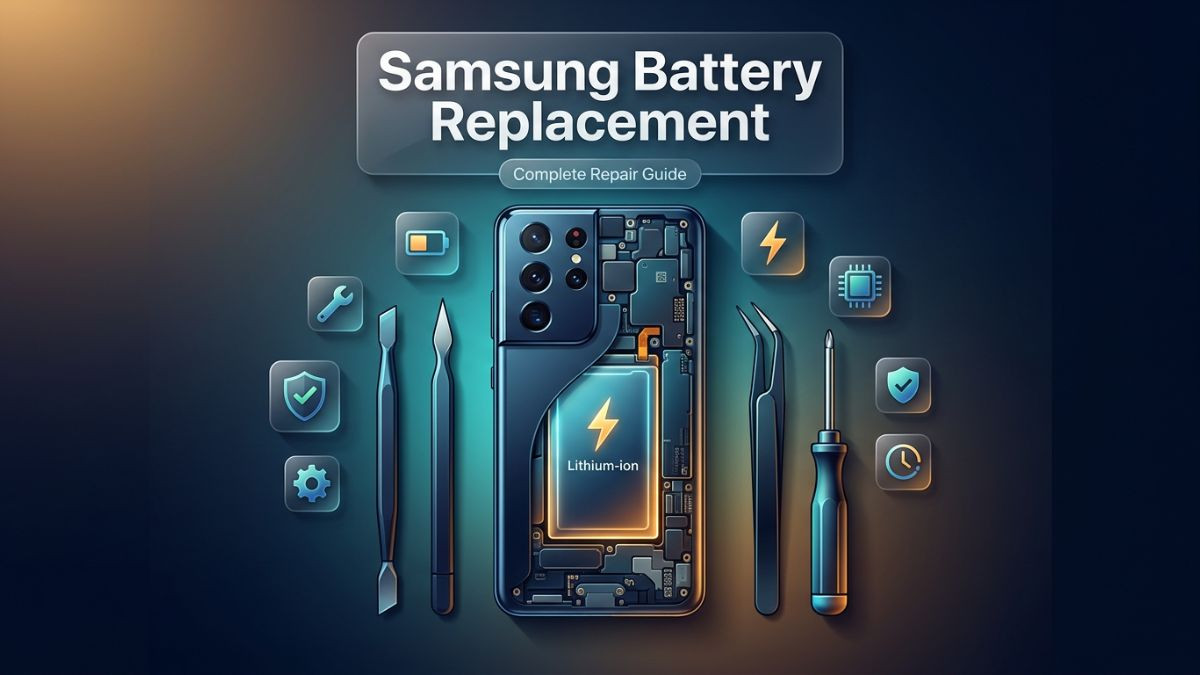
Samsung Battery Replacement in 2026: Repair Guide
Battery issues remain one of the most common reasons Samsung users seek professional repair services. Whether the phone dies too quickly, refuses to charge, or has physically swollen, a failing battery can make even the most advanced Galaxy device feel completely unreliable. Understanding the causes, symptoms, and solutions surrounding a Samsung battery replacement is essential knowledge for any Samsung owner in 2026.
This article walks through every aspect of Samsung battery repair — from recognizing early warning signs to comparing replacement options, understanding costs, and knowing when to trust a certified technician over a DIY attempt. The guide is structured to give practical, actionable information at every step.
Why Samsung Battery Health Matters More Than Ever in 2026
Modern Samsung Galaxy devices are engineered with incredibly capable batteries. The Galaxy S series, the Note lineup, and the newer Galaxy Z folding phones all pack high-capacity lithium-ion and lithium-polymer cells that are designed to support heavy daily use. However, even the most durable battery has a finite lifespan.
Lithium-ion batteries — which power virtually every Samsung smartphone — begin to degrade from the moment they are first charged. Each charge cycle contributes to a slow but inevitable reduction in total battery capacity. Samsung officially rates most of its batteries for around 500 full charge cycles before capacity begins to drop noticeably below 80 percent. In practice, however, real-world usage patterns, extreme temperatures, fast charging habits, and software behavior can accelerate this degradation significantly.
By 2026, Samsung users are also dealing with increasingly power-hungry applications, 5G connectivity demands, and high-refresh-rate displays — all of which place greater strain on the battery system. The result is that battery replacement has become one of the most requested services at any samsung mobile repair shop, and for good reason. A fresh, genuine battery can transform the performance of an older device and extend its usable life by two or more years.
Beyond simple aging, battery health also affects system performance. Samsung devices, much like other Android smartphones, may throttle processor speeds when battery health drops significantly. This means a degraded battery does not just cause poor battery life — it can also make the phone feel slower, less responsive, and prone to unexpected shutdowns.
Common Symptoms That Signal a Samsung Battery Problem
Recognizing the signs of a failing Samsung battery early can prevent more serious damage to the device and help users seek timely samsung battery replacement service before the situation worsens.
The Battery Drains Unusually Fast
One of the earliest and most obvious symptoms is rapid battery drain. If a Samsung Galaxy device that once lasted a full day on a single charge now struggles to reach lunch without needing a top-up, this is a strong indicator of battery degradation. The samsung battery draining fast fix often begins with a samsung battery health check, which can reveal whether the issue is software-related or tied to actual physical cell degradation.
The Device Shuts Down at Higher Battery Percentages
A healthy battery should discharge predictably. When a phone begins shutting off at 20, 30, or even 40 percent, the battery cells can no longer accurately report their true charge state. This symptom — sometimes called a "battery calibration problem" — is frustrating because the device appears to have charge remaining but cuts off abruptly. In some cases, a samsung battery calibration fix may resolve this temporarily, but most technicians will recommend a full battery replacement if the issue persists.
Overheating During Charging or Normal Use
Heat is a natural byproduct of battery charging, but excessive heat is not. A samsung phone overheating battery issue typically indicates one of several problems: a failing battery cell generating heat due to internal resistance, a damaged charging port causing inefficient power delivery, or software consuming too many resources. When overheating occurs during light tasks like browsing or phone calls, the battery itself is usually the primary culprit.
Battery Swelling or Physical Deformation
Battery swelling is a serious safety issue that demands immediate attention. Lithium-ion batteries produce gas as they degrade, and when this gas accumulates inside the cell casing, the battery physically expands. This samsung battery swelling repair situation can cause the phone's back glass to lift, the screen to bulge, or in severe cases, the battery to rupture. A swollen battery should never be ignored or compressed. Users should stop using the device immediately and seek professional repair.
Charging Problems
The phone not charging, charging intermittently, or only charging at very slow speeds are all symptoms connected to battery or charging system issues. A samsung phone battery not charging problem can stem from a faulty battery, damaged charging port, defective charging cable, or software-level faults. Diagnosing the exact cause requires a systematic troubleshooting approach and often professional-grade diagnostic tools.
Percentage Jumping Erratically
When the battery percentage jumps from 50 percent to 20 percent in seconds, or suddenly jumps back up when the phone is moved, the battery's internal state management is failing. This is a software-readable symptom of hardware degradation and is almost always resolved only through a physical samsung phone battery replacement.
Samsung Battery Health Check: How to Diagnose the Problem
Before scheduling a samsung battery replacement appointment, it helps to understand what tools are available to assess battery condition. Diagnosing the battery before committing to a replacement can also clarify whether the issue is software-based — and therefore potentially fixable without a hardware repair — or whether it requires a physical component swap.
Using Samsung's Built-In Diagnostic Tool
Samsung devices running One UI include a built-in diagnostic utility accessible through the Samsung Members app. This tool can run battery tests, measure current draw, check charging behavior, and flag abnormal conditions. To use it, open the Samsung Members app, navigate to the "Support" section, and tap "Phone Diagnostics." From here, select the battery test to receive a basic health report.
Using Secret Code Diagnostics
Typing *#0228# on the Samsung dialer opens the battery status menu, which displays real-time voltage, temperature, and battery capacity data. This is a quick and accessible way to check whether the current battery readings fall within acceptable ranges.
Third-Party Battery Analysis Apps
Several trusted applications available on the Google Play Store can provide more detailed samsung battery health check results, including charge cycle counts, capacity degradation estimates, and peak discharge rates. AccuBattery is one of the most recommended tools among technicians and power users alike. These apps gather data over time, so they become more accurate the longer they are installed.
Professional Battery Diagnostics at a Repair Shop
The most accurate method of battery assessment is a professional diagnosis at a samsung repair center battery service. Certified technicians use specialized hardware tools that can read data directly from the battery management system, measure actual capacity against design specifications, and identify faults that software apps cannot detect. If the device is showing multiple symptoms simultaneously, professional diagnostics should be the first step before any repair is attempted.
Understanding the Causes of Samsung Battery Drain and Degradation
A thorough samsung battery issue troubleshooting process always starts with understanding root causes. Battery problems do not appear randomly — they are the result of specific usage patterns, environmental factors, and hardware or software conditions.
Age and Charge Cycles
The most straightforward cause of battery degradation is age. Every time a Samsung phone is charged from low to full, the battery completes a charge cycle. Over hundreds of cycles, the electrodes inside the battery cell break down, reducing the total amount of charge the battery can store. This is a natural and irreversible chemical process.
Overcharging and Overnight Charging
Leaving a phone plugged in overnight, every night, contributes significantly to faster battery wear. Modern Samsung devices include overcharge protection circuits, and Samsung's "Protect Battery" feature in One UI limits charging to 85 percent to reduce this stress. However, users who disable this feature or use uncertified chargers may experience accelerated battery aging.
Extreme Temperatures
Lithium-ion batteries are sensitive to temperature. Prolonged exposure to high heat — such as leaving the phone in a hot car or using it intensively in direct sunlight — causes permanent damage to the battery cells. Cold temperatures, while less damaging long-term, can temporarily reduce battery performance and lead to unexpected shutdowns.
High-Power Features
Features like 5G connectivity, GPS navigation, gaming, and high-refresh-rate display settings consume significantly more power than standard usage. Samsung battery replacement for gaming phones is a particularly common service request because gaming sessions place sustained, intense demands on the battery, shortening its lifespan faster than typical use.
Background Application Drain
Apps running in the background — particularly social media apps, location services, and sync-heavy applications — can drain a battery faster than expected. The samsung fast battery drain solution in cases driven purely by software often involves app management, background restriction settings, and One UI optimization features rather than a hardware replacement.
Faulty Software Updates
Occasionally, a software update can cause abnormal battery drain due to processes that run incorrectly after the update. In these cases, the samsung battery backup issue fix may be as simple as resetting app preferences, clearing the device cache, or performing a factory reset — none of which require a physical repair.
Samsung Battery Replacement Options: DIY vs. Professional Repair
One of the biggest decisions facing Samsung users with a failing battery is whether to attempt a do-it-yourself replacement or seek out a samsung battery replacement technician at a certified repair shop. Both paths have real merit depending on the user's skill level, the device model, and the urgency of the repair.
| Factor | DIY Battery Replacement | Professional Repair Service |
|---|---|---|
| Skill Required | Moderate to High | None — handled by technicians |
| Tools Needed | Heat gun, spudger, adhesive kit, screwdrivers | Provided by repair shop |
| Risk of Damage | Moderate to High (especially on glass-back models) | Low — experienced technicians |
| Battery Quality | Depends on supplier | Genuine or certified OEM parts |
| Time to Complete | 1–3 hours | 30 minutes to 2 hours |
| Warranty on Repair | Typically none | Usually 30–90 days |
| Cost | Lower upfront | Moderate — includes labor |
| Recommended For | Older, low-value devices | All current Galaxy models |
DIY Battery Replacement Considerations
Attempting a DIY samsung battery replacement can save money, but it comes with meaningful risks. Samsung Galaxy devices — especially the S series and Z Fold/Flip models — use strong adhesive to secure the back glass and battery. Removing these components without proper tools and technique frequently results in cracked glass panels, torn ribbon cables, or damaged charging coils. These secondary damages can cost more to repair than the original battery replacement would have.
If a DIY attempt is being considered, it should only be done on older, out-of-warranty devices where the cost of professional repair is not justified. Ifix guides, manufacturer teardown videos, and official Samsung repair manuals (now available in many regions under right-to-repair legislation) can provide some guidance, but the process remains technically challenging.
Why Professional Repair Is Almost Always the Better Choice
A certified samsung battery replacement expert has the tools, training, and experience to perform the replacement without causing collateral damage. Reputable repair shops also source samsung genuine battery replacement cells from verified suppliers, ensuring the replacement battery meets safety and capacity standards. Many professional repair centers also offer a repair warranty — meaning if the battery fails or a related issue develops within the warranty period, the repair is covered at no extra cost.
Samsung Battery Replacement Cost: What to Expect in 2026
Battery replacement costs vary based on the device model, the region, and the type of repair service chosen. Understanding these costs helps users budget appropriately and avoid paying more than necessary.
| Samsung Device | Estimated DIY Cost | Professional Repair Cost (USA) |
|---|---|---|
| Samsung Galaxy S22 / S23 | $25–$45 (parts) | $80–$120 |
| Samsung Galaxy S24 / S25 | $35–$55 (parts) | $100–$150 |
| Samsung Galaxy Note 20 | $25–$40 (parts) | $75–$110 |
| Samsung Galaxy A Series | $15–$30 (parts) | $50–$90 |
| Samsung Galaxy Z Fold Series | $50–$80 (parts) | $150–$250 |
| Samsung Galaxy Z Flip Series | $40–$65 (parts) | $120–$200 |
| Samsung Galaxy Tab (Tablet) | $30–$60 (parts) | $80–$140 |
These ranges represent typical market pricing for samsung battery replacement usa in 2026. Prices can vary in specific markets — for example, samsung battery replacement miami pricing may reflect local labor costs and market competition. Always request a written quote before agreeing to any repair to avoid unexpected fees.
Factors That Affect the Final Cost
The model complexity plays the largest role. Devices with glass backs, waterproofing seals, and wireless charging coils require more careful disassembly and reassembly, which increases labor time. The quality of the replacement battery also affects cost — samsung genuine battery replacement cells are more expensive than generic alternatives, but they deliver better performance, safer chemistry, and more reliable capacity ratings.
Some repair shops offer affordable samsung battery replacement packages that bundle the battery with a screen inspection, charging port cleaning, and software optimization at a competitive combined price. This type of service bundle often provides better long-term value than a standalone battery swap.
Step-by-Step Overview of the Samsung Battery Replacement Process
For readers who want to understand what happens during a professional repair — or who are evaluating a careful DIY approach on an older, low-risk device — the following overview covers the general process used during a samsung phone battery replacement at most repair centers.
Step 1: Device Inspection and Diagnostics
Before any physical work begins, a competent technician performs samsung repair and battery diagnostics on the device. This includes checking battery voltage, charge cycle data, physical condition of the phone, and any secondary issues that might affect the repair outcome. Skipping this step is a red flag — a professional shop will always assess the device first.
Step 2: Back Panel Removal
The most common point of failure in DIY repairs occurs here. Samsung Galaxy devices use industrial-strength adhesive to bond the glass or plastic back panel to the chassis. Technicians use a controlled heat source — typically a heat mat set to around 80 degrees Celsius — to soften the adhesive before carefully prying the panel away with a thin plastic pick or spudger. Forcing this step without heat will crack the glass.
Step 3: Disconnecting the Battery Connector
With the back panel removed, the battery connector is carefully unplugged from the motherboard. This must be done before any work on the battery itself to prevent short circuits. Some models also require disconnecting the wireless charging coil, which sits between the back panel and the battery.
Step 4: Battery Removal
Samsung batteries are adhered to the chassis with strong pull-tab adhesive strips similar to those used in iPhone repairs. When available, these tabs are pulled at a low angle to peel away the adhesive without bending the battery. If the tabs are missing or have broken, a small amount of isopropyl alcohol can be used to weaken the adhesive. The battery is then carefully lifted out without bending or puncturing the cell.
Step 5: Installing the New Battery
The new battery is aligned carefully and secured with fresh adhesive. The battery connector is then reconnected to the motherboard. At reputable shops performing samsung smartphone battery replacement service, the replacement battery is tested before reassembly to confirm it is functional and charging correctly.
Step 6: Reassembly and Final Testing
The back panel is reattached using new adhesive tape. The device is then powered on and run through a post-repair diagnostic to confirm charging behavior, battery percentage accuracy, and the absence of overheating. Many shops also test the waterproof seal if the device is rated for water resistance.
Samsung Battery Replacement for Specific Galaxy Models
While the general process above applies broadly, each Samsung Galaxy family has unique characteristics that affect the repair process.
Samsung Galaxy S Series Battery Replacement
The Galaxy S lineup — from the S21 through the S25 — uses glass sandwich construction with strong adhesive on both the front and rear panels. Samsung galaxy s battery replacement is moderately complex due to the wireless charging coil placement and the fragility of the curved glass on higher-end variants. These repairs are almost always better handled by a professional.
Samsung Galaxy Note Series Battery Replacement
Samsung galaxy note battery replacement is similarly complex, with the added consideration that many Note devices include a built-in stylus silo and additional circuitry near the battery. The Note 20 Ultra, in particular, has a tightly packed internal layout that requires methodical disassembly.
Samsung Galaxy A Series
The A series is generally more accessible for repair. Many A-series models use a plastic back panel rather than glass, making removal less risky. Samsung battery replacement for android phones in the mid-range A-series category is often the most affordable repair available and can frequently be completed in under an hour at a qualified shop.
Samsung Galaxy Z Fold and Z Flip
Folding phones represent the most complex battery replacement scenario. The dual-battery system in the Z Fold series and the tight internal packaging of the Z Flip require advanced disassembly skills. These repairs carry the highest risk of secondary damage and the highest labor costs. Samsung battery replacement for gaming phones that fall into the folding category should only be entrusted to a technician with specific experience in folding device repairs.
Samsung Charging Issue Repair: When It Is Not Just the Battery
Not every charging problem originates with the battery itself. Samsung charging issue repair frequently requires diagnosing the entire charging ecosystem — including the charging port, the cable, the charger, and the software — before concluding the battery needs replacement.
| Charging Problem | Likely Cause | Recommended Fix |
|---|---|---|
| Phone not charging at all | Faulty cable, dirty port, or dead battery | Clean port, try new cable, battery test |
| Charging very slowly | Incompatible charger or background app drain | Use Samsung-certified charger, check apps |
| Charging stops and starts | Loose or damaged charging port | Charging port repair or replacement |
| Phone only charges wirelessly | Damaged USB-C port | Port repair required |
| Overheating while charging | Failing battery or counterfeit charger | Battery replacement and charger replacement |
| Battery percentage drops while plugged in | Severely degraded battery | Battery replacement required |
A professional samsung mobile repair shop will test each component individually to identify the exact failure point. Replacing the battery when the real issue is a damaged charging port, for example, would not solve the problem and would waste the customer's money.
Samsung Battery Optimization Tips to Extend Battery Life
After a samsung galaxy battery replacement, proper usage habits can significantly extend the life of the new battery. These samsung battery optimization tips apply equally to users with healthy batteries who want to preserve them for longer.
Enable Adaptive Battery
Samsung's One UI includes an Adaptive Battery feature that learns usage patterns over time and restricts background activity for apps that are used infrequently. Enabling this under Settings Battery and Device Care Battery Adaptive Battery is one of the most effective software-level steps a user can take.
Use the Protect Battery Feature
Setting the maximum charge limit to 85 percent through Settings Battery and Device Care Battery More Battery Settings reduces the stress placed on lithium-ion cells during charging. While this means the phone will never reach 100 percent capacity, the long-term benefit to battery longevity is significant.
Avoid Extreme Temperatures
Keeping the phone away from hot environments during charging and use is one of the most impactful lifestyle changes for battery health. Wireless charging in particular generates more heat than wired charging — users who charge overnight are better served using the standard cable.
Manage 5G Connectivity
Switching from 5G to LTE in areas where 5G signal is weak reduces battery drain considerably. The radio struggles to maintain a weak 5G signal, consuming more power than it would maintaining a stable 4G LTE connection. Samsung's automatic network mode selection handles this intelligently on most devices, but manual adjustment in poor coverage areas is worthwhile.
Restart the Device Regularly
Restarting the phone once a week clears background processes, refreshes system memory, and can resolve minor software-level battery drain issues. This simple samsung device battery maintenance habit is often overlooked but genuinely helpful.
Keep Software Updated
Samsung's One UI updates frequently include battery performance improvements and bug fixes. Keeping the device updated ensures it benefits from the latest optimizations and patches that may address abnormal battery behavior.
When to Seek a Samsung Battery Replacement Same Day Service
There are situations where waiting for an appointment or shipping a device to a repair center is not practical. Samsung battery replacement same day service is valuable in scenarios involving safety, business-critical usage, or severe degradation.
If the battery is swollen, the device should not be used at all — same-day service is not just convenient, it is necessary. A swollen battery poses a real risk of rupture, chemical leakage, or in extreme cases, fire. Users in this situation should place the phone in a cool, open space, avoid compressing the device, and get to a repair shop as quickly as possible.
If the phone is a primary work device and battery failure has made it non-functional, same-day repair becomes a productivity priority. Many urban repair shops, including those serving samsung battery replacement miami and other major metro areas, maintain common battery models in stock and can complete same-day repairs for popular Galaxy devices.
Checking for samsung battery replacement near me in real time using search engines or the manufacturer's official service locator can help identify which local shops offer same-day turnaround, genuine parts, and post-repair warranty coverage.
Samsung Battery Replacement Warranty: What Coverage Looks Like
Understanding warranty terms before committing to a samsung battery replacement service protects the consumer and sets clear expectations for the repair relationship.
| Warranty Type | What It Covers | Typical Duration |
|---|---|---|
| Samsung Official Service Center | Battery defects, installation issues | 3–12 months (varies by region) |
| Authorized Third-Party Repair | Replacement battery and labor | 30–90 days |
| Independent Repair Shops | Varies — ask before repair | 30–180 days |
| DIY Replacement | No warranty | None |
The samsung battery replacement warranty at Samsung's own service centers typically covers the replacement battery itself as well as any installation-related issues. Third-party shops vary significantly — some offer 90-day warranties that cover both parts and labor, while others offer no warranty at all. Always ask for a written warranty confirmation before leaving a device with any repair shop.
It is also important to note that having a battery replaced at an unauthorized repair shop may void the original Samsung manufacturer warranty if the device is still within its warranty period. Users with devices still under Samsung's factory warranty should consider using an official samsung repair center battery service to preserve that coverage.
Comparing Samsung Battery Replacement Service Providers
Choosing the right service provider for a samsung galaxy battery replacement requires evaluating several factors beyond just price. The cheapest option is rarely the best when dealing with a component as safety-critical as a battery.
| Service Provider Type | Parts Quality | Cost Range | Warranty | Turnaround |
|---|---|---|---|---|
| Samsung Official Service Center | Genuine Samsung OEM | $$$ | 3–12 months | 1–5 business days |
| Authorized Samsung Repair Partner | Genuine or certified OEM | $$ – $$$ | 30–90 days | Same day to 2 days |
| Reputable Independent Repair Shop | OEM or high-quality aftermarket | $ – $$ | 30–90 days | Same day possible |
| Mail-In Repair Service | Varies | $ – $$ | 30–60 days | 5–10 business days |
| DIY (Self-Repair) | Varies widely | $ | None | Self-managed |
When evaluating a samsung battery replacement technician or repair shop, look for verifiable customer reviews, transparency about parts sourcing, clear warranty terms, and a willingness to perform diagnostics before quoting a repair price. Any shop that immediately recommends a battery replacement without testing the device first should be viewed with some skepticism.
Special Considerations for Samsung Battery Replacement on Cracked Back Glass Phones
Samsung battery replacement for cracked back glass phones is a repair scenario that requires additional thought. If the back glass is already cracked when the battery replacement is needed, the repair shop will typically need to factor in the cost of a new back glass panel as well, since the cracked glass will be damaged further or removed entirely during the battery access process.
In many cases, combining both repairs at once is the most cost-effective approach. Having the battery replaced while simultaneously having the back glass repaired avoids paying for multiple disassembly and reassembly procedures separately. Many shops offer bundled pricing for these combined repairs.
On Galaxy S series devices, the back glass is a structural component that also serves as the wireless charging receiver layer. A cracked back glass can affect wireless charging performance, so addressing it during the battery replacement makes functional and economic sense.
Get Your Samsung Battery Replaced Today — Fast, Reliable, and Affordable
If your Samsung Galaxy is draining fast, overheating, swollen, or simply refusing to hold a charge the way it once did, waiting does not make the problem better. A degraded battery only gets worse over time, and in cases of swelling, delayed action can lead to serious device damage or safety hazards.
At DC Phone Repair, a team of experienced and certified technicians handles everything from a straightforward Samsung battery replacement to complex multi-component repairs — all with the speed, accuracy, and care that your device deserves. Same-day service is available for most Samsung Galaxy models, and every repair is backed by a warranty so you can trust the work that's done.
The shop uses genuine and certified replacement batteries sourced from trusted suppliers, ensuring your device performs the way it should after the repair. Whether you need a battery replacement, a screen repair, a charging port fix, or a full diagnostic evaluation, the team is ready to help. Walk-ins are always welcome, and appointments can be booked online for added convenience.
Do not let a bad battery slow you down any longer. Stop by, give us a call, or schedule your repair online today.
DC Phone Repair
2704 Marion Barry Ave SE,
Washington DC 20020, United States
(202) 478-4799
https://dcphonerepair.com/
Frequently Asked Questions
How long does a Samsung battery replacement typically take at a professional repair shop?
Most Samsung battery replacements at a qualified repair center are completed within 30 to 90 minutes for standard Galaxy S and A series models. More complex devices like the Z Fold series may take longer due to the additional disassembly steps involved. Many shops offering samsung battery replacement same day service can have the device ready within a few hours even during busy periods.
Is it safe to use a Samsung phone with a swollen battery?
No — a swollen battery is a safety risk and the device should not be used until the battery is replaced. The gas buildup inside a swollen lithium-ion cell can rupture under pressure, and continued use can worsen the situation rapidly. Seek samsung battery swelling repair at a professional shop as quickly as possible and avoid charging the device in the meantime.
Will replacing the Samsung battery fix the overheating problem?
In many cases, yes — if the samsung phone overheating battery issue is caused by a degraded cell generating excess heat during charging or discharge. However, overheating can also stem from software problems, a damaged charging port, or environmental conditions. A proper diagnostic before the repair is important to confirm the battery is the source of the heat.
Does a samsung battery replacement void the original Samsung warranty?
If the device is still within its original Samsung manufacturer warranty, having the battery replaced at an unauthorized repair shop can potentially void that warranty. Using an official samsung repair center battery service or an authorized Samsung repair partner preserves the original warranty terms. Always check warranty status before choosing a repair provider.
How can I tell if my Samsung battery needs replacement or if it is a software issue causing the drain?
Running a samsung battery health check through the Samsung Members app or a trusted third-party app like AccuBattery can help distinguish hardware degradation from software-caused drain. If the battery capacity reads significantly below 80 percent of original design capacity, replacement is likely the solution. If capacity appears normal but drain is still rapid, background app management and software troubleshooting should be the next step before committing to a battery swap.
What type of battery should I ask for when getting a Samsung replacement?
Always request a samsung genuine battery replacement or a certified OEM-equivalent battery from a reputable supplier. Generic or uncertified batteries may be cheaper upfront, but they often deliver lower actual capacity, shorter lifespan, and in some cases, pose safety risks due to substandard manufacturing standards. Asking the shop specifically about the battery's origin and whether it carries its own warranty is a reasonable and recommended question before any repair begins.
Frequently Asked Question
Welcome to our FAQ section! Here, we've compiled a list of commonly asked questions to provide you with quick answers and assistance. If you don't find the answer you're looking for, feel free to contact us directly, and we'll be happy to help.
How long does your repair service take?
At DC Phone Repair, we are able to fix most phones within 10-15min. Walk-in Welcome, We carry all parts including phone screens, charger port, iPhone batteries, android batteries, ear speakers, black glass, loud speakers, Samsung pens and many more. We can fix your cracked screen or broken phone screen within minutes.
Can DC phone repair fix water damaged phones?
We can fix any phones, if you dropped your phone in the water no worries, DC phone repair can repair you phone. our experiences techs can run diagnostics on your device and tell you exactly what is the issue and fix it quick. Our diagnostic is completely FREE!
DO I NEED AN APPOINTMENT OR CAN I WALK-IN?
We welcome all customers including Walk-ins and appointments. Most repair times are less than 10-15mins so you don't have to leave your device with us most of the time. We Love our customers at DC Phone Repair and we strive to serve our customers in the best we can.
WHAT KIND OF PHONE REPAIR SCREEN OPTIONS DO YOU PROVIDE?
At DC Phone Repair, We carry all different types of screens, including OLED replacement Screens, LCD screens, OEM apple screens, OEM Samsung screens, call us today so we can fix your phone right!
-
00
+Glorious Years
-
00
k+Happy Customer
-
00
k+Service Complete
-
00
%Satisfactions
